The International Trade Blog  Shipping Solutions Software
7 Export Workflow Bottlenecks Software Can Eliminate
On: September 23, 2026 | By:  Kari Crane |
8 min. read
Kari Crane |
8 min. read
 As export volumes grow, the work required for each shipment can get surprisingly complicated. Information moves from an ERP or order-entry system into export documents, then into AES, compliance checks, emails, spreadsheets and internal records. Every handoff creates another chance for delay or error.
Export documentation software helps remove those bottlenecks by letting exporters enter or import shipment information once and reuse it across documents, AES filing, compliance checks, recordkeeping and repeat shipments. For growing U.S. exporters, that can mean less duplicate data entry, more consistent processes and fewer compliance gaps.
Here are seven common workflow bottlenecks and how the right software can help eliminate them.
1. Reentering the Same Shipment Data Again and Again
One of the biggest drains on an export team is also one of the simplest: typing the same information multiple times.
Customer names and addresses may be entered into an order system, copied into a commercial invoice, entered again on a packing list and then rekeyed for AES filing or compliance screening. Multiply that process across dozens or hundreds of shipments, and the wasted time adds up quickly.
It also creates opportunities for inconsistencies. A mistyped address, outdated product description or incorrect value can carry consequences beyond an untidy document.
Export documentation automation changes the process by making the shipment record the starting point. With Shipping Solutions, users can store frequently used company, customer and product information and reuse it on export forms instead of entering it repeatedly. Professional and Enterprise users can also import orders from an ERP, accounting or order-entry system through the Data Exchange Manager.
The goal is simple: automate export documents by entering information once, then using it throughout the export workflow.
2. Building Every Export Document as a Separate Task
Commercial invoices, packing lists, Shipper's Letters of Instruction, certificates of origin and other export forms often contain much of the same information.
Yet many companies still create each document as a separate file. That means copying and pasting data between templates, checking whether fields match and updating multiple documents when something changes.
Export documentation software turns those forms into outputs from a common shipment record.
Shipping Solutions can automatically place shipment information into the appropriate fields on multiple export forms. It also stores commonly used data, and many non-regulated forms can be customized to meet company requirements while still maintaining a standardized document process.
3. Treating AES Filing as a Separate Workflow
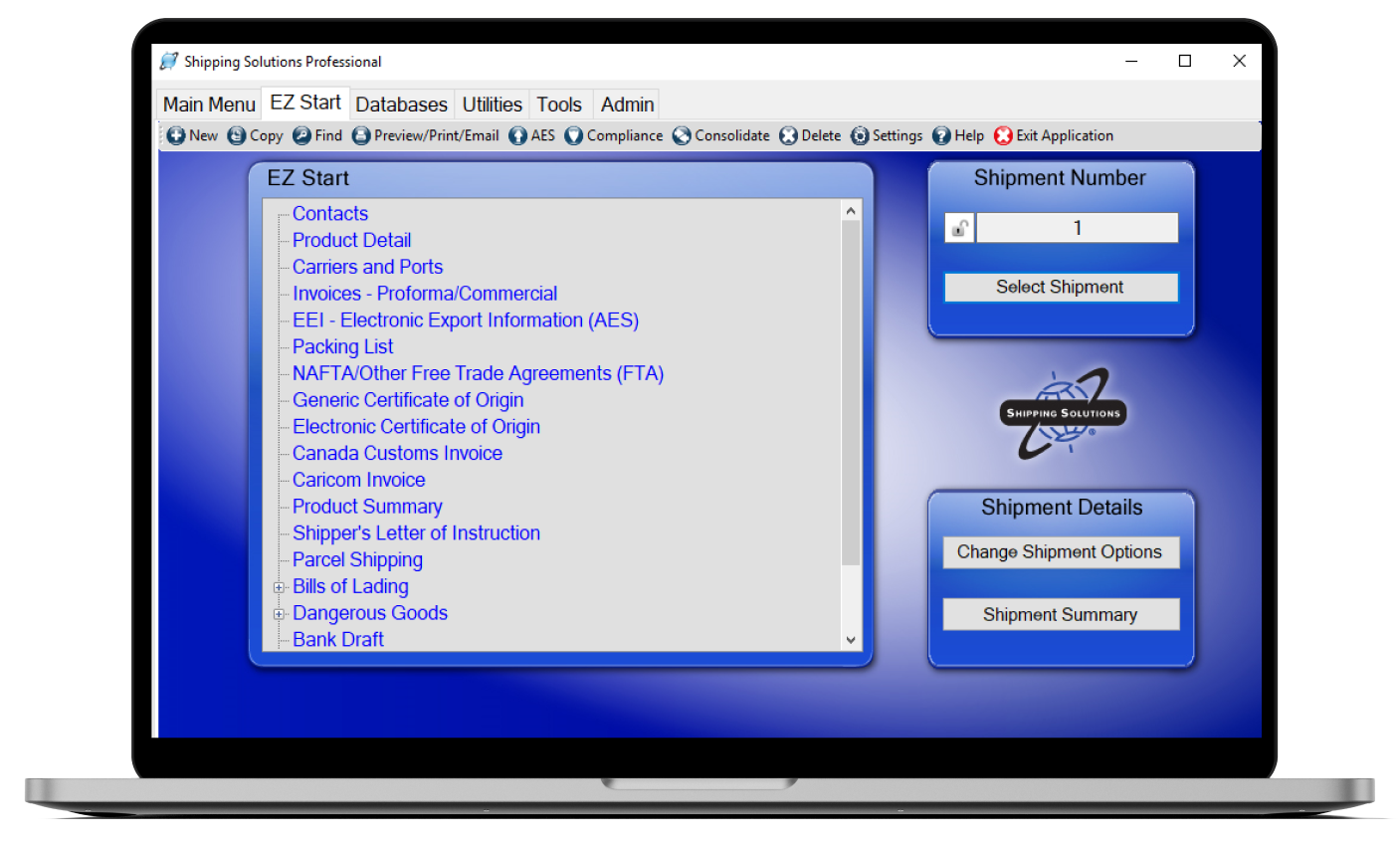
AES filing doesn’t have to be a separate, disconnected step. Shipping Solutions uses shipment data already in the system to guide users through the required AES information and submit the filing through AESDirect in the Automated Commercial Environment.
Filing in-house can also save money. Depending on your freight forwarder’s fee structure, submitting your own AES filings may reduce or eliminate filing fees. And outsourcing the filing doesn’t outsource your responsibility: even when an authorized agent submits the EEI, the U.S. Principal Party in Interest is still responsible for providing accurate filing information.
For growing exporters, bringing AES into the same workflow can mean less duplication, more control and lower shipment costs.
4. Keeping Compliance Checks Separate From the Shipment
Documentation is only part of exporting. Teams may also need to screen transaction parties, evaluate possible license requirements and determine which documents may be required for a particular destination.
The bottleneck appears when those tasks live in separate systems—or worse, when the process depends on someone remembering to perform each check manually.
Shipping Solutions connects several compliance tasks to the shipment record through the Export Compliance Module. Restricted Party Screening can compare customers, consignees, freight forwarders and other transaction parties against current government lists. Screening results can be retained with the shipment record.
The software can also use a product's ECCN or USML classification and the country of ultimate destination to help identify possible license requirements, and its Country Document Determination tool can help identify documents that may be required for a shipment.
5. Letting Every Employee Follow a Different Export Process
A spreadsheet may work well for one employee. A set of Word templates may work for another. Someone else may have a personal checklist that only they understand.
That flexibility becomes a problem as the company grows.
More employees, departments and locations can quickly lead to different versions of the same process. One person may perform a compliance check at a different stage than another. A field may be completed differently from one shipment to the next. Important knowledge can become tied to individual employees instead of the company's process.
Export documentation software gives teams a common system for creating documents and maintaining shipment records.
Shipping Solutions can also provide individual logins, assign different access rights and allow designated users to lock completed shipment records so information is not unintentionally changed after documents have been finalized.
6. Losing Time to Document Handoffs
Creating the document isn't always the end of the process.
Someone may need to save it as a PDF, attach it to an email, send it to a freight forwarder, route a certificate for chamber certification or prepare additional forms for dangerous goods.
Each extra handoff adds another small delay.
Shipping Solutions allows users to print completed forms, save them as PDFs or email them directly to customers, freight forwarders or other parties from within the software.
It can also send certificate-of-origin information electronically to a U.S. chamber of commerce for certification. The software also includes tools for preparing IATA and IMO dangerous goods declarations using stored product information.
Effective shipment documentation management is not just about creating forms faster. It's about reducing the number of disconnected steps between creating the shipment record and getting the required information where it needs to go.
7. Starting From Scratch on Repeat Shipments
Many exporters regularly ship the same products to the same customers. Yet teams often rebuild those transactions from the beginning.
They search for an old invoice, copy data into a new file and try to remember what was done on the previous shipment.
Shipping Solutions retains shipment records so users can find and reprint documents or update a shipment when circumstances change. For repeat shipments, an existing shipment can be copied into a new record and only the information that changed needs to be updated. The original remains intact.
That recordkeeping becomes particularly useful when someone later needs to determine what happened on a shipment.
Remove the Bottlenecks Before They Become Bigger Problems
Export workflow inefficiencies are easy to tolerate when shipment volume is low. A few extra minutes of data entry or an occasional manual handoff may not seem significant.
Growth changes the equation.
The more shipments, employees and locations involved in exporting, the more expensive inconsistent processes become.
Shipping Solutions helps exporters create documents, file through AES and maintain shipment records from a common workflow. The Shipping Solutions Professional and Enterprise versions add ERP integration and compliance capabilities that connect even more of the export process.
Want to see where your export workflow could be streamlined? Request a personalized Shipping Solutions demo and see how the software fits the way your team exports today—and where you're headed next.
Like what you read? Join thousands of exporters and importers and subscribe to the International Trade Blog to get the latest news and tips delivered to your inbox.